Zoho CRM Integration
Automate your SMS and WhatsApp notifications directly from Zoho CRM using Webhooks.
{info} Note on Zoho Plans: Webhooks and Workflow Rules are premium features in Zoho CRM. You will need a Standard, Professional, Enterprise, or a free Zoho Developer account to use this integration.
- Step 1: Create a New Webhook
- Step 2: Configure Headers & Authentication
- Step 3: Format the JSON Payload
- Step 4: Create a Workflow Rule
Step 1: Create a New Webhook
First, we need to create the Webhook that will securely transmit your CRM data to the Rebuetext API.
-
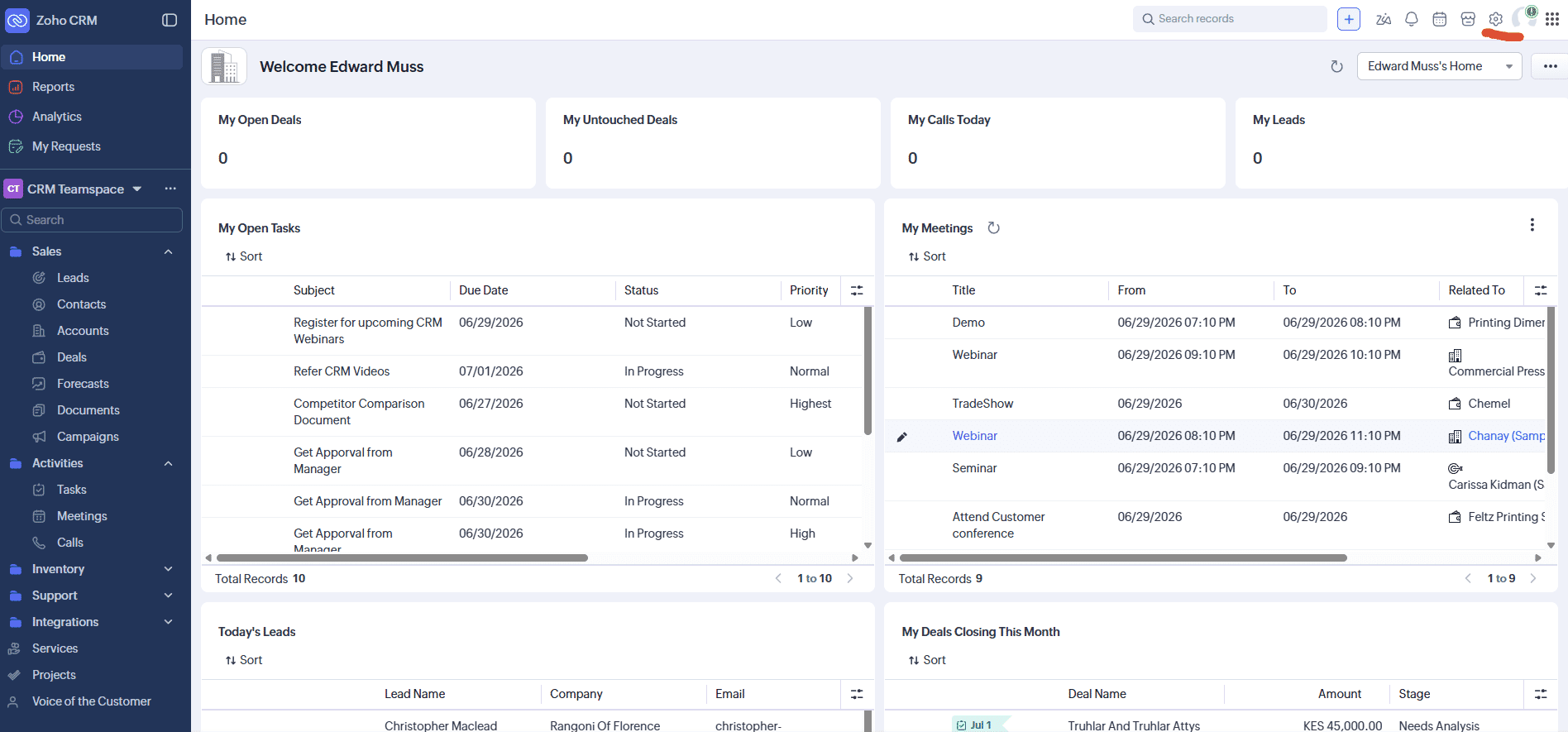
Log into your Zoho CRM dashboard and click the Settings (Gear) Icon in the top right corner.
-
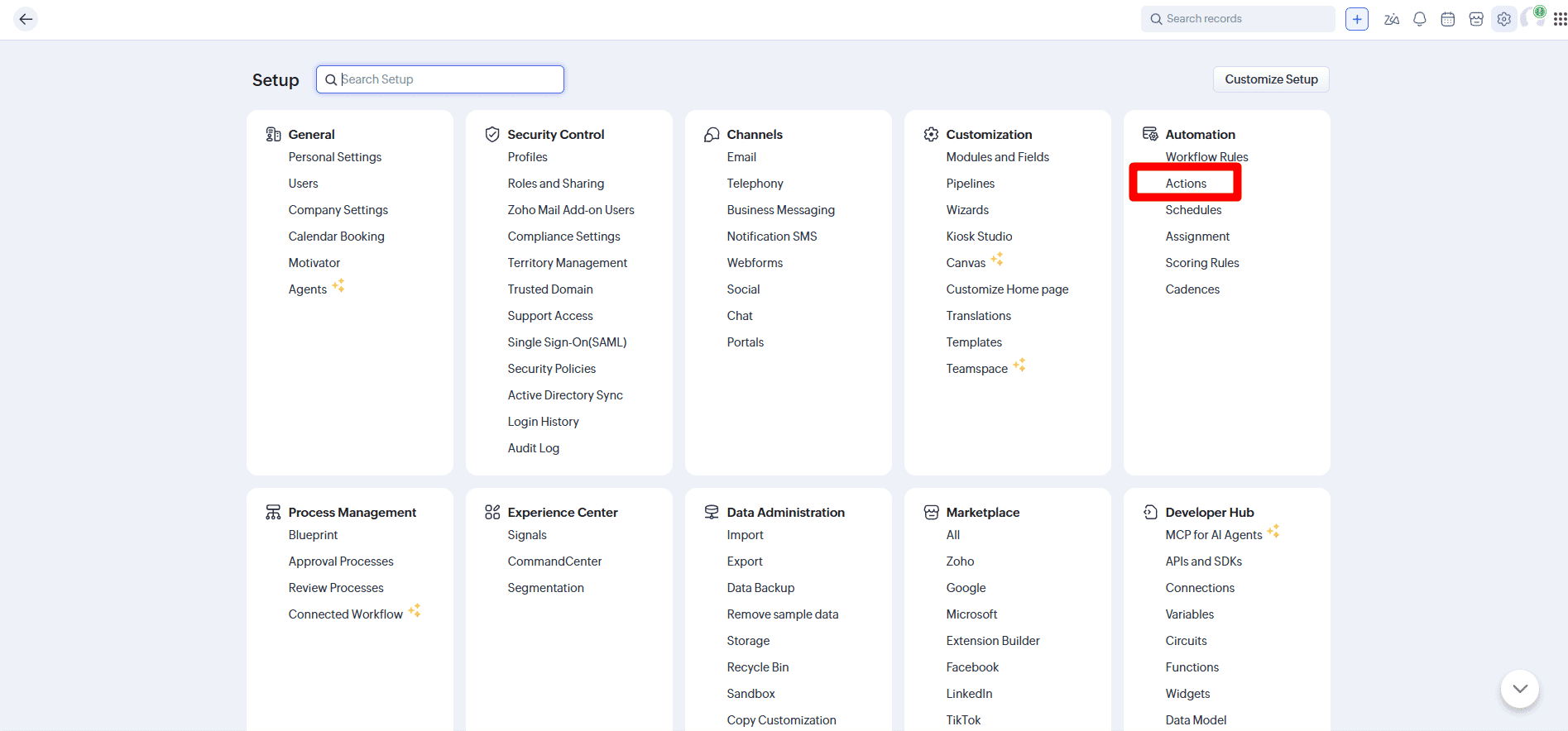
Under the Automation column, click on Actions.
-
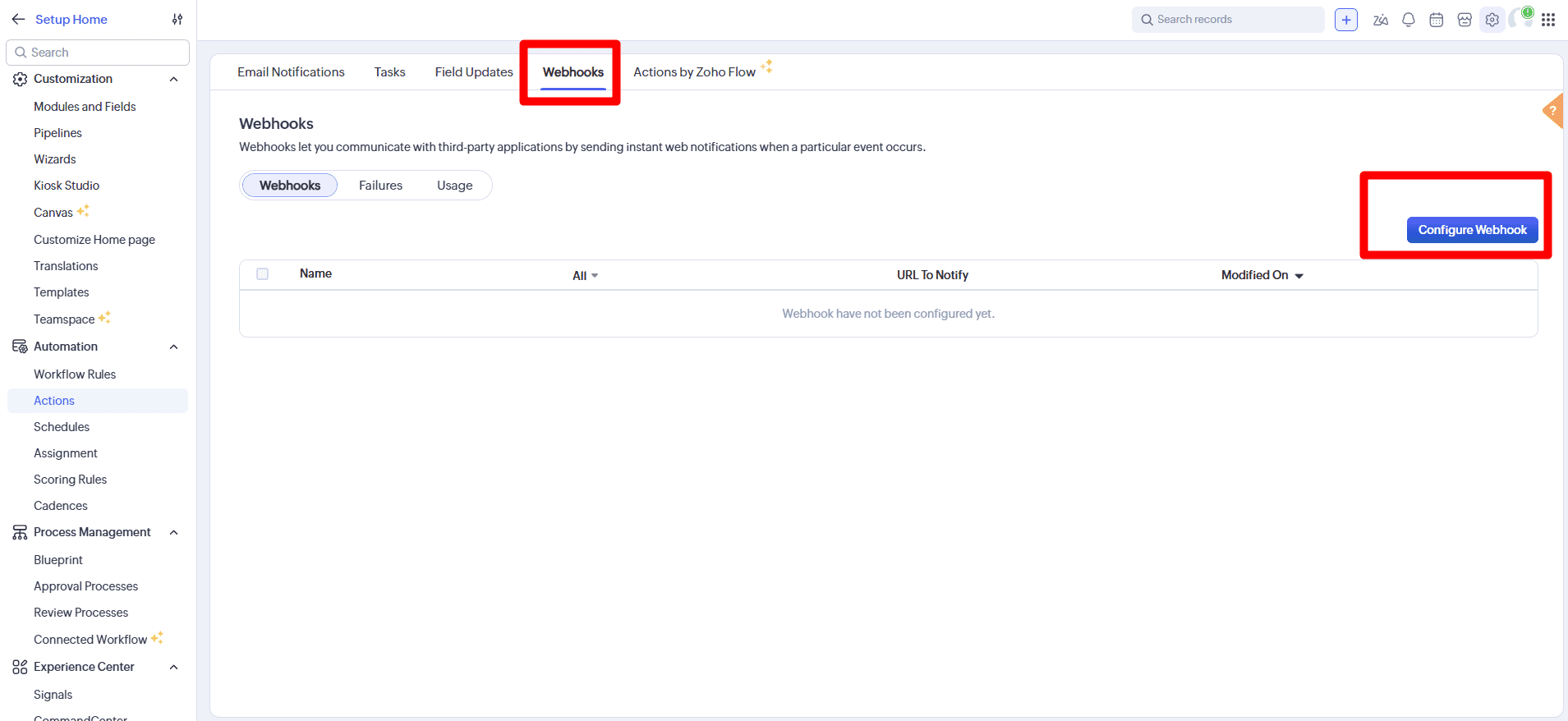
Navigate to the Webhooks tab and click the blue Configure Webhook button.
Step 2: Configure Headers & Authentication
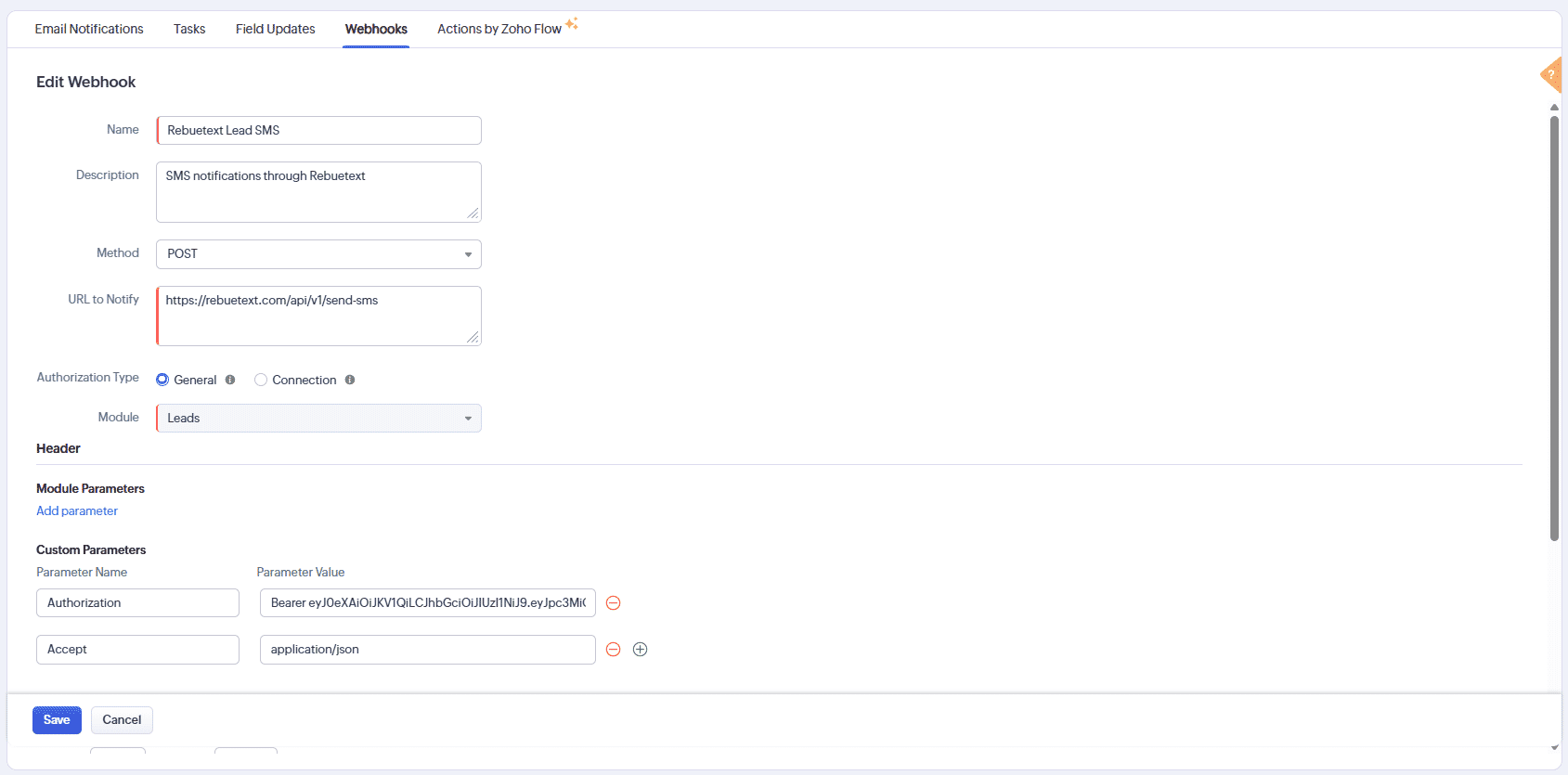
Next, map the webhook to your Rebuetext API endpoint and authenticate it using your API token.
- Name: Give your webhook a recognizable name (e.g.,
Rebuetext Lead SMS). - Method: Select
POST. - URL to Notify:
https://rebuetext.com/api/v1/send-sms - Authorization Type: Select
General. - Module: Select the module you are triggering from (e.g.,
Leads).
Headers
Scroll down to the Header section and add two custom parameters. This tells our API who you are and what data format you are sending.
| Parameter Name | Parameter Value |
|---|---|
Authorization |
Bearer YOUR_API_TOKEN (Replace with your actual token) |
Accept |
application/json |
Step 3: Format the JSON Payload
Scroll down to the Body section. This is where you map Zoho's dynamic fields (like phone numbers and names) into the message.
- Change the Type to
Raw. - Change the Format to
JSON. - Paste the following JSON structure into the text box:
{
    "sender": "CLOUD_REBUE",
    "phone": "${Leads.Phone}", // Replace with your actual phone number column (e.g., Phone or Mobile)
    "message": "Hi ${Leads.First Name}, thanks for contacting us! We will call you shortly."
}
{primary} Pro-Tip: You can type
#inside the quotes of the JSON box to bring up a dropdown of dynamic Zoho fields to instantly inject names, phone numbers, or company details!
Click Save. Your webhook is now fully configured and ready to be attached to an automation rule.
Step 4: Create a Workflow Rule
A Webhook will only fire when a Workflow Rule tells it to. Let's create a rule that triggers this webhook whenever a new Lead is added.
-
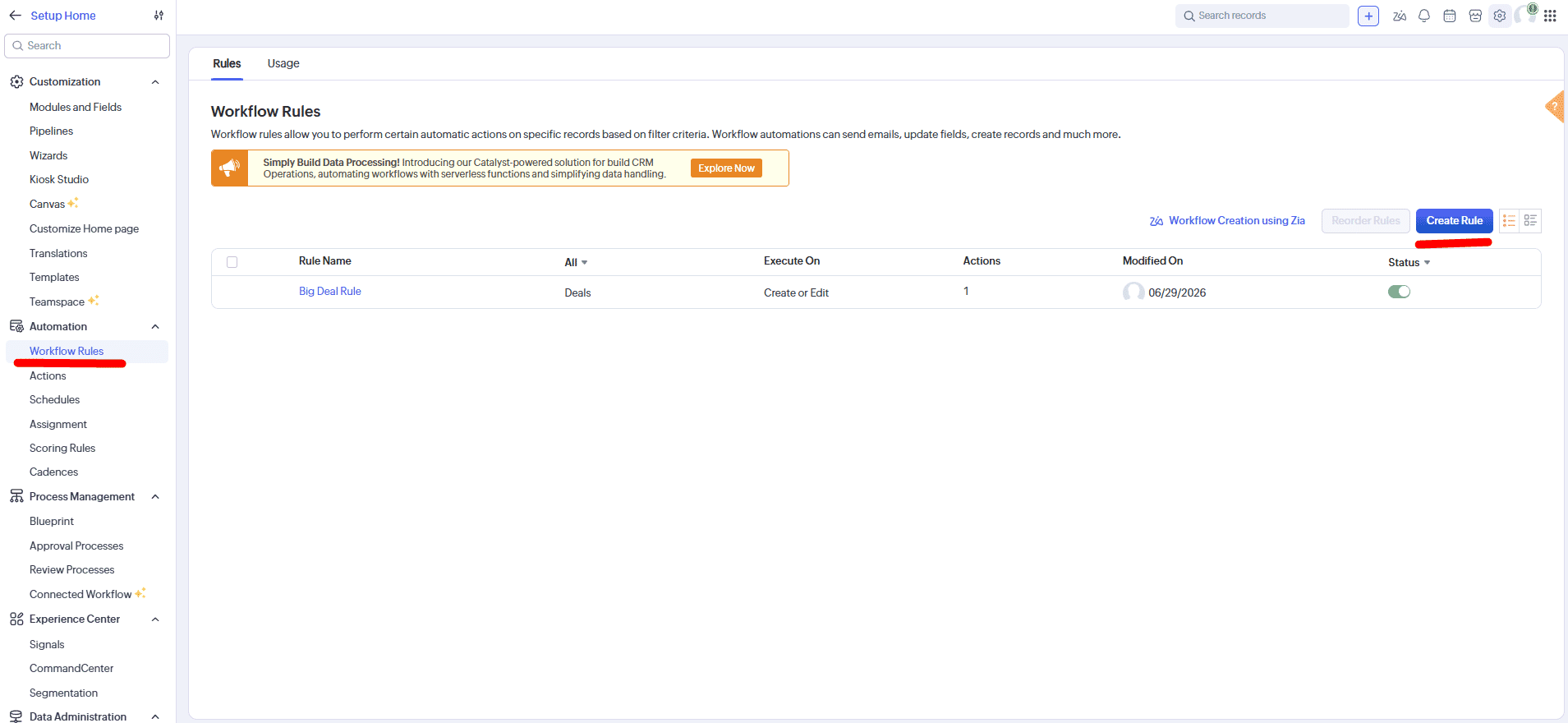
Go back to your Zoho Settings and click on Workflow Rules under the Automation column, then click Create Rule.
-
Select your Module (e.g.,
Leads), give the rule a name, and click Next.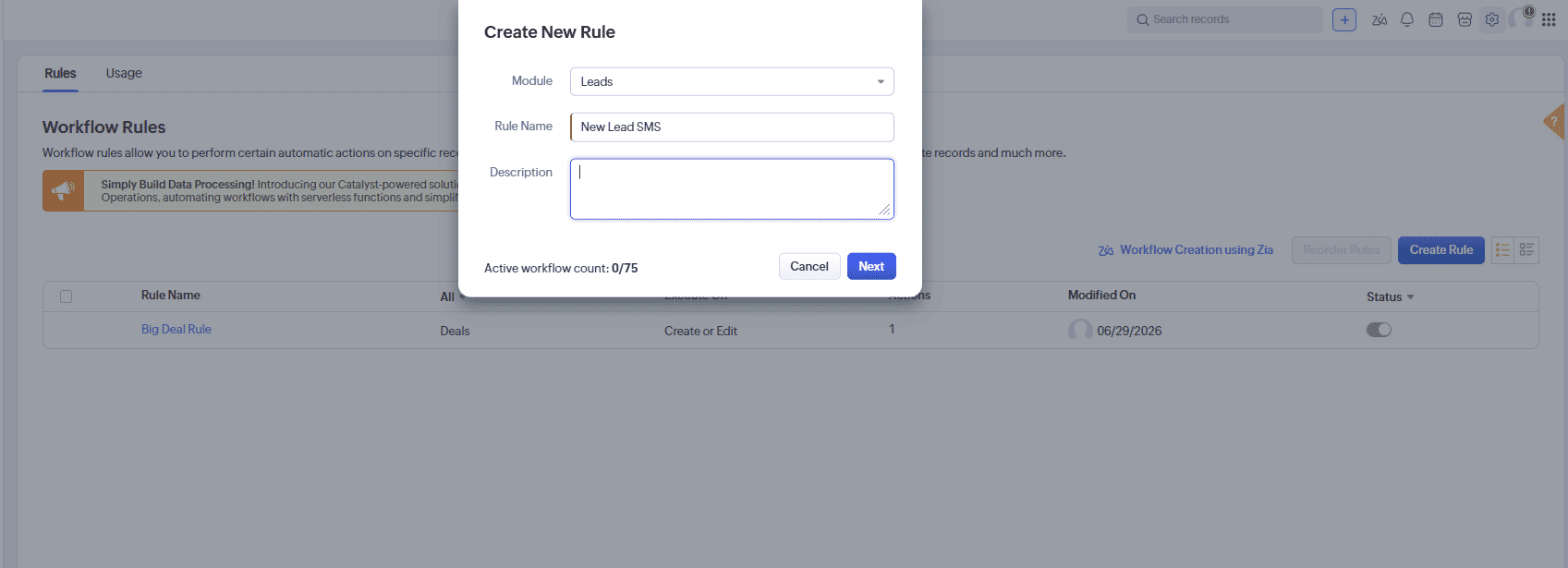
-
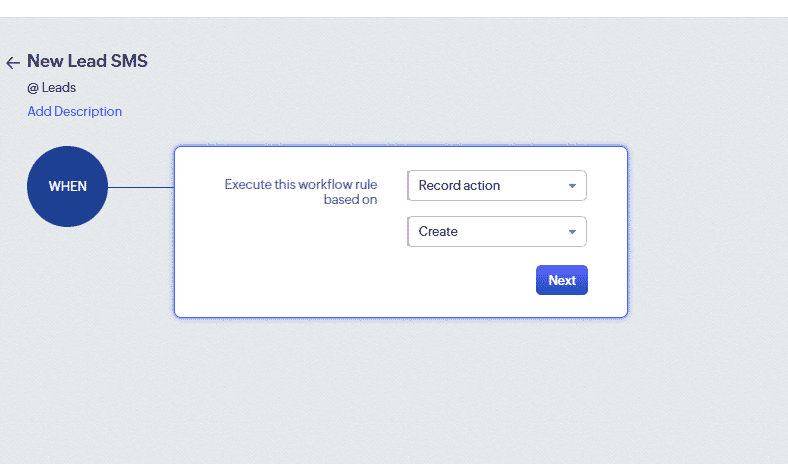
Set the rule to execute based on a Record action, specifically when a record is Create. Click Next.
-
Under Instant Actions, select Webhook. Choose the
Rebuetext Lead SMSwebhook you just created and click Associate.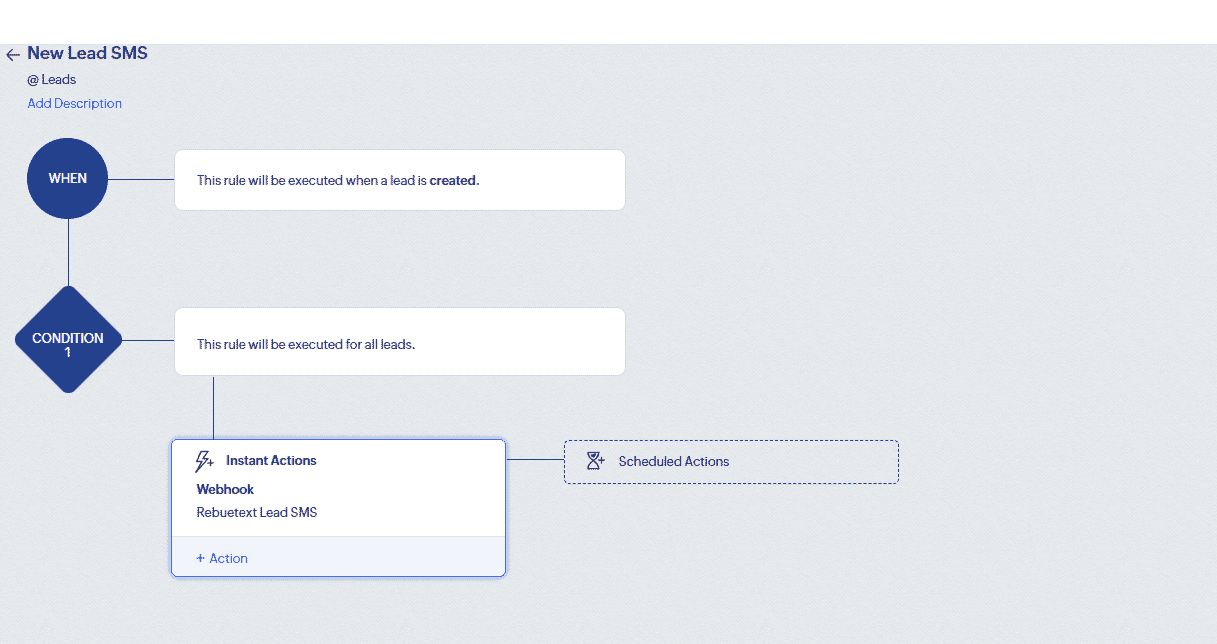
Save your rule. Your Zoho CRM is now fully integrated with Rebuetext! Create a test lead with your own phone number to instantly see the magic in action.